
The End of Manual Meeting Notes: How AI Automatic Summaries Capture Every Detail
The End of Manual Meeting Notes: How AI Automatic Summaries Capture Every Detail
How many times have you left a meeting, glanced at your notes, and realized you missed half the important points? According to Atlassian's research, professionals spend an average of 31 hours per week in meetings, and more than half of that time is considered wasted — largely because poor post-meeting documentation causes discussed topics to be forgotten, decisions to go untracked, and action items to vanish into thin air.
The era of manual meeting notes is over. AI automatic meeting documentation captures the full content of every meeting and generates structured, intelligent summaries — ensuring that the value of each meeting is preserved in its entirety.

Why Manual Meeting Notes Are Destined to Fall Short
Human Attention Has Limits
Psychology research shows that taking notes while listening reduces comprehension by approximately 30%. When you are focused on capturing a speaker's words, you cannot simultaneously engage in deep thinking about what those words mean. The person responsible for note-taking is often the least mentally engaged participant in the room.
Note-Taker Bias
Every note-taker unconsciously filters information — recording what they consider important and skipping what they deem irrelevant. But "important" is subjective. An engineer and a sales manager will produce very different records of the same meeting.
Speed Mismatch
The average writing speed is 30 to 40 words per minute, while normal speaking speed is 150 to 180 words per minute. Even the fastest typist cannot capture meeting dialogue verbatim. The result is heavy simplification, omission, and imprecise paraphrasing.
Inconsistent Formatting
Different note-takers have different formatting habits. Some use bullet points, others write narratives. Some record details, others only conclusions. Without a standardized meeting documentation format, the reference value of historical records suffers dramatically.
Post-Meeting Cleanup Time
After a meeting, raw notes typically need 30 minutes to an hour of reorganization, supplementation, and polishing before they become shareable formal minutes. That time could be spent on higher-value work.
How AI Automatically Captures Every Meeting
Real-Time Speech-to-Text
The core technology behind AI meeting notes is real-time speech recognition. TANPAN.AI uses Azure Speech Services' real-time STT technology to convert all speech to text as the meeting happens. Key capabilities include:
- Multilingual support: Supports Chinese, English, Japanese, Korean, and Thai with automatic language detection
- Speaker identification: Automatically distinguishes between speakers, clearly attributing statements in the transcript
- Punctuation and paragraphing: AI automatically inserts appropriate punctuation and paragraph breaks for readability
- Domain vocabulary: Higher recognition accuracy for industry-specific terminology across business, technology, finance, and other fields
Beyond Transcripts: Intelligent Content Understanding
A transcript alone is far from sufficient. A one-hour meeting can generate tens of thousands of words — no one has time to read it all. TANPAN.AI's AI analysis engine deeply understands meeting content and automatically extracts key information.
Smart Summaries: From Information to Insight
Decision Extraction
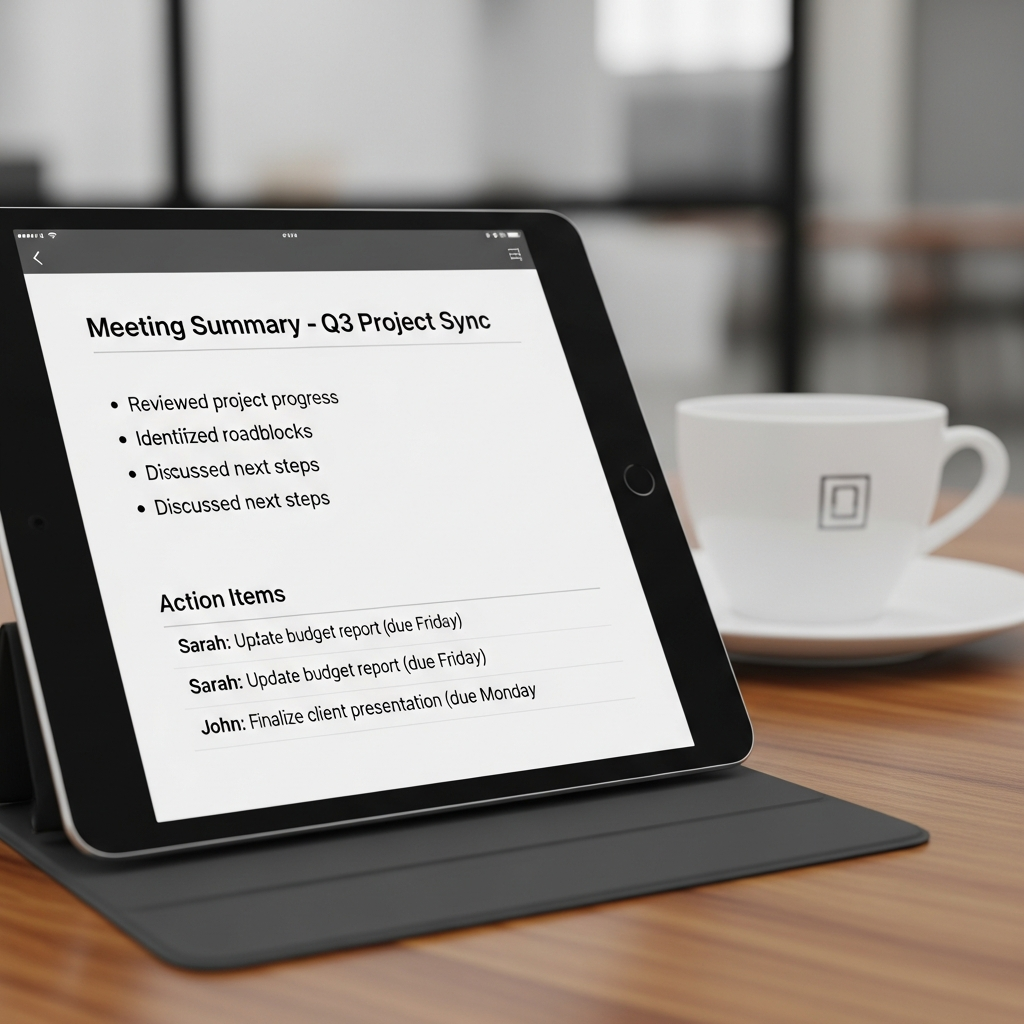
AI automatically identifies decisions made during a meeting. When someone says "Let's go with Option B" or "The conclusion is we need this done by Monday," the AI flags these as decisions and highlights them prominently in the summary.
Action Item Tracking
Every to-do mentioned in a meeting — "Wang will prepare the client proposal," "Engineering needs to deliver the technical assessment by Wednesday" — is automatically captured by the AI, tagged with the responsible person and expected completion date. These action items can be exported directly as a task list.
Key Moment Flagging
AI automatically identifies critical moments in a meeting:
- Disagreements: When participants express differing views on a topic
- Important data: Specific numbers, dates, and amounts mentioned during discussion
- Risk alerts: Potential risks or issues raised during the conversation
- Creative sparks: When someone introduces a new idea or suggestion
Topic Segmentation
AI automatically divides the meeting into topic-based segments, each with its own summary. You can jump directly to the topic that interests you without reading the entire transcript.
Post-Meeting Analysis and Scoring
Meeting Efficiency Analysis
TANPAN.AI's post-meeting analysis does more than generate summaries — it evaluates the meeting itself:
- Speaking ratios: Each participant's share of speaking time, helping identify whether one person dominated the conversation
- Agenda coverage: Whether each planned topic received adequate discussion
- Decision velocity: Time elapsed from topic introduction to decision reached
- Off-topic analysis: The proportion of time spent on topics outside the original agenda
Meeting Scoring
Based on multidimensional analysis, AI generates an efficiency score for each meeting. This is not about judging individual performance — it helps teams understand how to make their meetings more productive. Tracking this score over time reveals whether the team's meeting culture is continuously improving.
PDF Export and Team Sharing
One-Click Professional Reports
After a meeting, TANPAN.AI generates polished PDF reports with a single click, containing:
- Meeting metadata (time, location, attendees)
- Structured meeting summary
- Decision list
- Action items with owners
- Full transcript (optional)
Team Collaboration and Sharing
Through TANPAN.AI's team collaboration features, meeting records are automatically shared with all attendees and relevant colleagues. Different roles see different levels of detail — executives may only need the decision summary, while team leads need the full discussion context.
Integration with Existing Workflows
TANPAN.AI's Google Calendar integration automatically links meeting records to calendar events. When you click on a past meeting in your calendar, you can instantly access the corresponding notes and summary.
Applications Across Meeting Types
Client Meetings
Every client interaction is a valuable source of information. AI automatically records client needs, concerns, decision criteria, and timelines, freeing sales teams from relying on memory or scattered notes to follow up effectively.
Internal Project Meetings
Progress tracking, issue discussion, resource allocation — these recurring project meeting topics benefit enormously from AI-powered recording and action item tracking, dramatically reducing "What did we decide last time? Who was responsible for what?" TANPAN.AI's internal meeting mode is specifically optimized for this scenario.
Interview Documentation
Complete records of interview processes are essential for fair hiring decisions. AI captures every question and answer, enabling hiring teams to objectively evaluate each candidate after the fact. TANPAN.AI's interview mode provides specialized evaluation dimensions and analysis frameworks.
Training Records
Training content tends to fade from memory after a session ends. AI-generated training records serve as ongoing reference materials, allowing participants to revisit specific topics whenever needed.
Best Practices for Adopting AI Meeting Notes
Start Gradually
You do not need to deploy AI notes in every meeting from day one. Start with recurring standups or project meetings to let the team get comfortable with the process and output format.
Establish a Review Process
While AI records are highly accurate, it is worth having one attendee spend five to ten minutes reviewing the AI-generated summary during the initial adoption phase, confirming there are no significant omissions or misinterpretations.
Leverage Search
As meeting records accumulate, they become a valuable knowledge base. Use search to quickly locate past discussions and decisions on specific topics.
Build Team Habits
The most important factor is building consistent team habits. When everyone knows meetings are automatically recorded and analyzed, they become more deliberate about expressing their views clearly — which in turn improves meeting quality itself.
Frequently Asked Questions
How accurate are AI meeting notes?
TANPAN.AI's speech recognition achieves over 95% accuracy in quiet meeting environments. For summary and decision extraction accuracy, a brief post-meeting review is recommended.
How does AI meeting recording protect privacy?
Meeting content is sensitive information. TANPAN.AI encrypts data during both transmission and storage. Organizations can configure data retention periods and access controls to ensure only authorized personnel can view meeting records.
Does it work for both virtual and in-person meetings?
Yes. TANPAN.AI supports both virtual and in-person meeting scenarios. Virtual meetings capture audio streams directly, while in-person meetings use microphone or conference room audio equipment.
Can I record only part of a meeting?
Yes. You can start and pause recording at any time. For sections containing confidential discussions, you can pause AI recording.
Which languages are supported?
TANPAN.AI supports five languages: Chinese, English, Japanese, Korean, and Thai. In multilingual meetings, the system automatically detects languages and generates separate transcripts and translations for each.
What export formats are available?
PDF export is currently supported, containing the complete structured summary, decision list, and action items. Transcripts can also be exported as text files.
Conclusion
Meeting notes should not be a dreaded chore. AI automatic meeting documentation frees you from tedious manual note-taking so you can focus on discussion and decision-making. From real-time speech-to-text to intelligent summaries, from decision extraction to action item tracking, AI ensures that every ounce of value from a meeting is preserved.
TANPAN.AI delivers a complete solution from real-time recording to post-meeting analysis, with PDF export and team collaboration features that turn meeting records into tools that drive work forward — not documents that gather dust in a folder.
Preserve the full value of every meeting.
Get Started Today
Try TANPAN.AI for free — Sign up and get 50 credits to fully explore all features. No credit card required.