
Remote Meeting Efficiency Guide: How AI Transcription and Smart Summaries Transform Your Workflow
Remote Meeting Efficiency Guide: How AI Transcription and Smart Summaries Transform Your Workflow
Remote work is here to stay. According to Gallup, over 50% of U.S. knowledge workers now operate in a hybrid model, and the trend is mirrored globally. But while remote work offers flexibility and eliminates commutes, it has introduced a familiar villain: the unproductive meeting.
A Microsoft study found that knowledge workers spend an average of 7.5 hours per week in meetings, with nearly half considered "unnecessary" or "inefficient." AI-powered meeting tools are changing this equation, turning every meeting into a source of concrete, actionable value.

The Five Biggest Challenges of Remote Meetings
1. Attention Fragmentation
When working from home, distractions are everywhere — notifications, pets, deliveries, the temptation to multitask. Research shows that remote meeting participants maintain focused attention for 30% less time than in face-to-face meetings.
2. Reduced Communication Efficiency
Without in-person body language and eye contact, remote communication suffers. Misunderstandings, repeated explanations, and insufficient confirmation are common problems that slow progress.
3. Inconsistent Meeting Documentation
Who takes notes? Manual note-taking is time-consuming and inevitably incomplete. More often than not, nobody takes notes at all, and participants leave with different recollections of what was agreed upon.
4. Difficult Action Item Tracking
Meetings generate many ideas and decisions, but which ones require action? Who is responsible? What is the deadline? This critical information often evaporates after the meeting ends.
5. Time Zone Coordination
Global teams face the perpetual challenge of scheduling across time zones. Someone is always joining at an inconvenient hour, and asynchronous gaps create information silos.
How AI Solves Remote Meeting Efficiency Problems
Real-Time Speech-to-Text: Never Miss a Detail
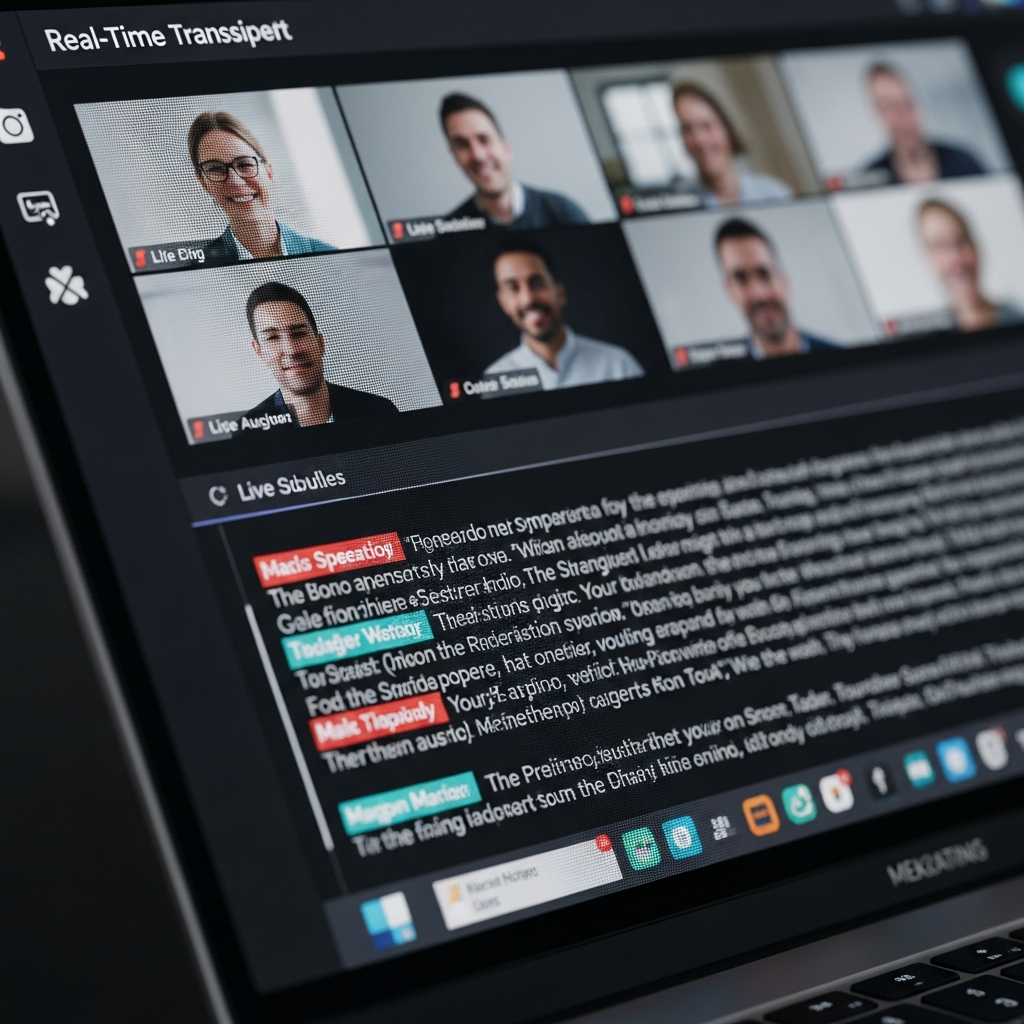
TANPAN.AI uses Azure's advanced speech recognition technology for real-time transcription:
- Complete records: Every word captured accurately, eliminating reliance on manual notes
- Multi-language support: Automatic recognition across Chinese, English, Japanese, Korean, and Thai
- Speaker identification: Automatic differentiation between speakers for clear attribution
- Live display: View the transcript as the meeting progresses for real-time reference
AI Smart Summaries: Distill an Hour-Long Meeting into Five Minutes
After a meeting ends, AI automatically generates a structured summary containing:
- Key decisions: Every important decision made during the meeting
- Action items: Specific tasks with owners and deadlines
- Discussion highlights: Summaries of major topics covered
- Open issues: Topics requiring follow-up in future meetings
Real-Time AI Coach: Keep Meetings Focused
TANPAN.AI's real-time AI coaching feature provides in-meeting prompts:
- Warning when the meeting is about to exceed its scheduled time
- Suggesting topic transitions when discussions run too long
- Flagging agenda items that haven't been addressed
- Gently redirecting when conversations drift off-topic
Post-Meeting Analysis and Scoring
After each meeting, AI provides a meeting quality score to help teams continuously improve:
- Participation analysis: Speaking time distribution across participants
- Agenda completion rate: Percentage of planned topics covered
- Time efficiency: Actual duration versus scheduled duration
- Follow-up tracking: Action item completion progress
Ten Practical Tips for More Efficient Remote Meetings
Tip 1: Set a Clear Agenda
Before every meeting, create an agenda on the TANPAN.AI platform with:
- Allocated time for each topic
- Decisions that need to be made
- Materials participants should review beforehand
With Google Calendar integration, the agenda is automatically attached to the meeting invite.
Tip 2: Enforce Time Boundaries
Follow the "25-minute rule" or "50-minute rule" — schedule meetings for 25 or 50 minutes instead of 30 or 60. The remaining buffer gives participants time to decompress and prepare for their next commitment.
Tip 3: Assign Meeting Roles
Every meeting needs at least three roles:
- Facilitator: Controls the agenda flow
- Timekeeper: Monitors discussion time per topic
- Note-taker: (With AI, TANPAN.AI handles this automatically)
Tip 4: Embrace Asynchronous Communication
Not everything requires a meeting. Use alternatives:
- Collaborative documents for information sharing
- Short recorded videos for status updates
- TANPAN.AI meeting summaries for catching up absent team members
Tip 5: Establish Meeting Norms
Define your team's meeting culture:
- Camera-on expectations
- Microphone etiquette (mute when not speaking)
- Question protocol (hand-raising vs. open discussion)
- Policies for lateness and absences
Tip 6: Use Visual Collaboration Tools
Audio-only communication breeds misunderstanding. Incorporate:
- Screen sharing for demonstrating specific content
- Whiteboard tools for real-time brainstorming
- Polling features for rapid team decisions
Tip 7: Conduct Monthly Meeting Reviews
Spend 15 minutes monthly reviewing team meeting data:
- Total meeting hours for the month
- Trends in AI meeting efficiency scores
- Action item completion rates
- Most frequently discussed topics
Tip 8: Create Meeting Templates
Build templates for recurring meeting types:
- Weekly standup template
- Project progress review template
- One-on-one meeting template
- Client meeting template
TANPAN.AI offers multiple meeting modes — General Mode, Internal Meeting Mode, and Training Mode — enabling quick setup for different scenarios.
Tip 9: Ensure Technical Reliability
Technology issues are the enemy of meeting efficiency:
- Use a wired internet connection
- Invest in quality headset and microphone
- Meet in a quiet environment
- Test audio and video before the meeting starts
Tip 10: Take Immediate Post-Meeting Action
The golden 10 minutes after a meeting are critical:
- Review and confirm the AI-generated summary
- Create action items in your task management tool
- Share the meeting record with all stakeholders
- Schedule the next meeting if needed
Efficiency Strategies by Meeting Type
Internal Team Meetings
Internal meetings are the most common and the most easily unproductive:
- Hold them at the same time each week to build team rhythm
- Use TANPAN.AI's Internal Meeting Mode
- Replace 60-minute seated meetings with 15-minute standups
- Let AI automatically track weekly action item completion
Client Meetings
Client meetings demand higher professionalism:
- Use pre-meeting AI strategy analysis to understand client priorities
- Leverage real-time translation to eliminate language barriers
- Auto-generate meeting minutes post-call and send to clients for confirmation
- AI coach reminds you to cover critical talking points
Training Sessions
Use TANPAN.AI's Training Mode:
- Record training content for later review
- AI analyzes interaction quality during training
- Automatic generation of training highlights
- Track participant engagement and comprehension
How Team Collaboration Features Amplify Meeting Value
A meeting's value extends far beyond the meeting itself — it lives in the follow-through. TANPAN.AI's team collaboration features enable:
- Universal access to meeting records and summaries for all team members
- Automatic action item assignment to responsible individuals with deadlines
- Cross-meeting tracking that ensures topics don't fall through the cracks
- Meeting dashboards that give managers clear visibility into team meeting efficiency
Key Metrics for Measuring Meeting Efficiency
To improve meeting efficiency, you first need to measure it. Track these key metrics:
- Weekly meeting hours: Target a gradual monthly decrease
- Agenda completion rate: Target 90%+
- Action item completion rate: Target 80%+
- Meeting satisfaction surveys: Conduct quarterly
- AI meeting efficiency scores: Monitor trends over time
Conclusion
Remote meetings do not have to be time sinks. With AI-powered meeting tools, every meeting can be more focused, more efficient, and more productive. From real-time transcription to smart summaries, from AI coaching to action item tracking, technology is making remote collaboration smoother than ever.
The most important insight, however, is that tools are enablers, not solutions. True meeting efficiency comes from building good habits as a team — clear agendas, strict time management, active participation, and diligent follow-through. AI helps systematize and automate these habits, making them easier to sustain.
Frequently Asked Questions
How accurate is AI meeting transcription?
Modern AI speech recognition, such as the Azure engine used by TANPAN.AI, achieves over 95% accuracy in standard conditions. Background noise, strong accents, and specialized terminology may affect accuracy, but AI models continuously learn and improve.
Are there privacy concerns with AI meeting recording?
This is an important consideration. Best practice is to inform all participants at the start of the meeting that AI recording is being used and obtain consent. TANPAN.AI follows strict data security standards, storing meeting records in encrypted environments.
Can AI meeting tools replace a human facilitator?
Current AI technology cannot fully replace human facilitation. AI is best used as a complement — handling documentation, analysis, and tracking — while humans continue to lead discussions, make decisions, and manage interpersonal dynamics.
Do small teams need AI meeting tools?
Even teams of 2-3 people benefit noticeably from AI meeting tools, particularly for record-keeping, action item tracking, and summary generation. The time savings compound quickly.
How do I convince my team to adopt AI meeting tools?
Start with a small pilot — choose one recurring weekly meeting and use AI tools to record and generate summaries. Once the team experiences concrete efficiency gains, adoption naturally expands.
What languages does the AI meeting summary support?
TANPAN.AI supports real-time speech-to-text and summary generation in five languages: Chinese (Traditional and Simplified), English, Japanese, Korean, and Thai — ideal for teams conducting multilingual or international meetings.
Get Started Today
Try TANPAN.AI for free — Sign up and get 50 credits to fully explore all features. No credit card required.